Add user
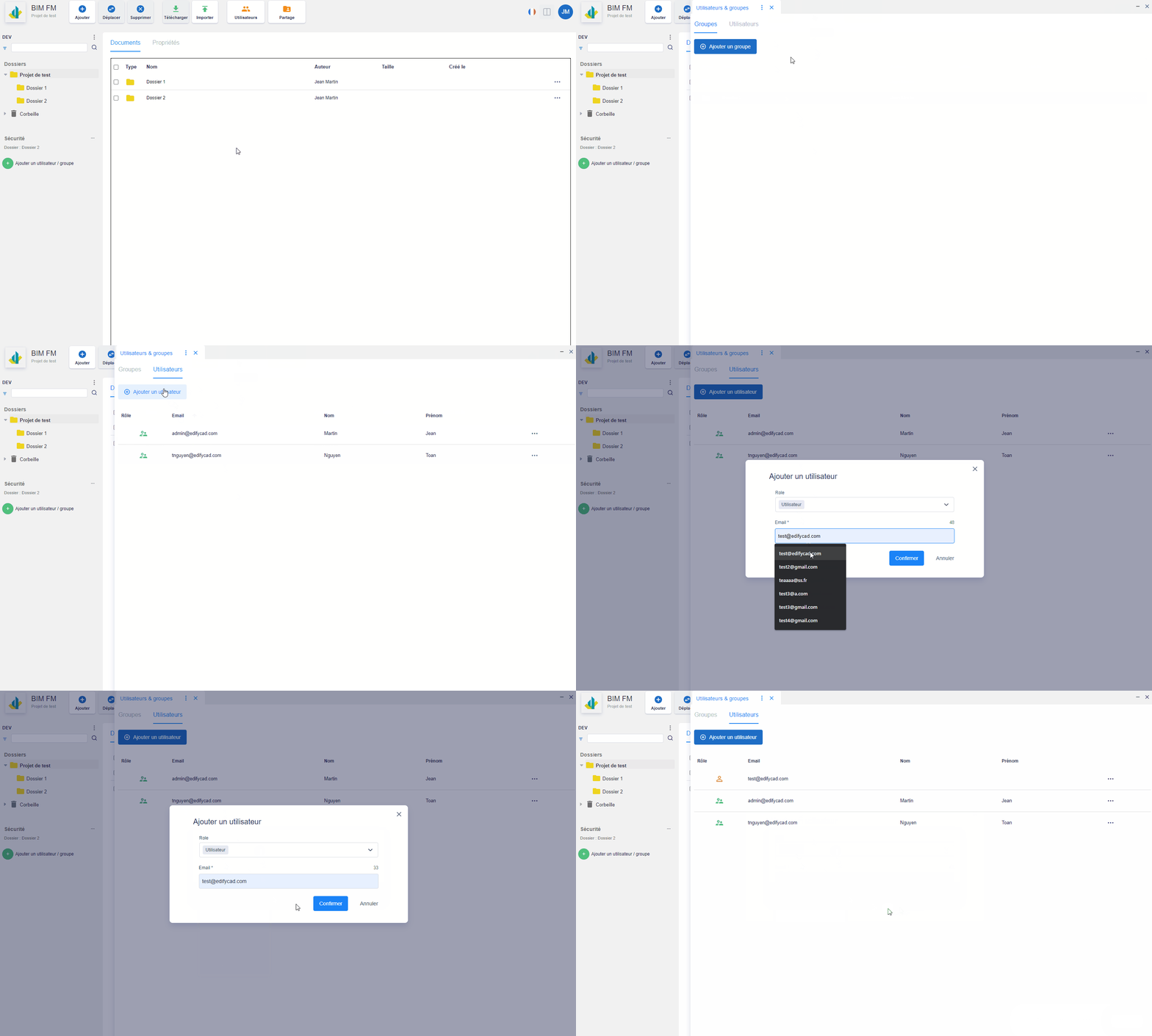
To add a new user:
- Click on the “Users & groups” button in the toolbar, a vertical panel will open,
- Click on the “Add a user” button and you will have to fill in the form of the dialog box (Role and email)
User management
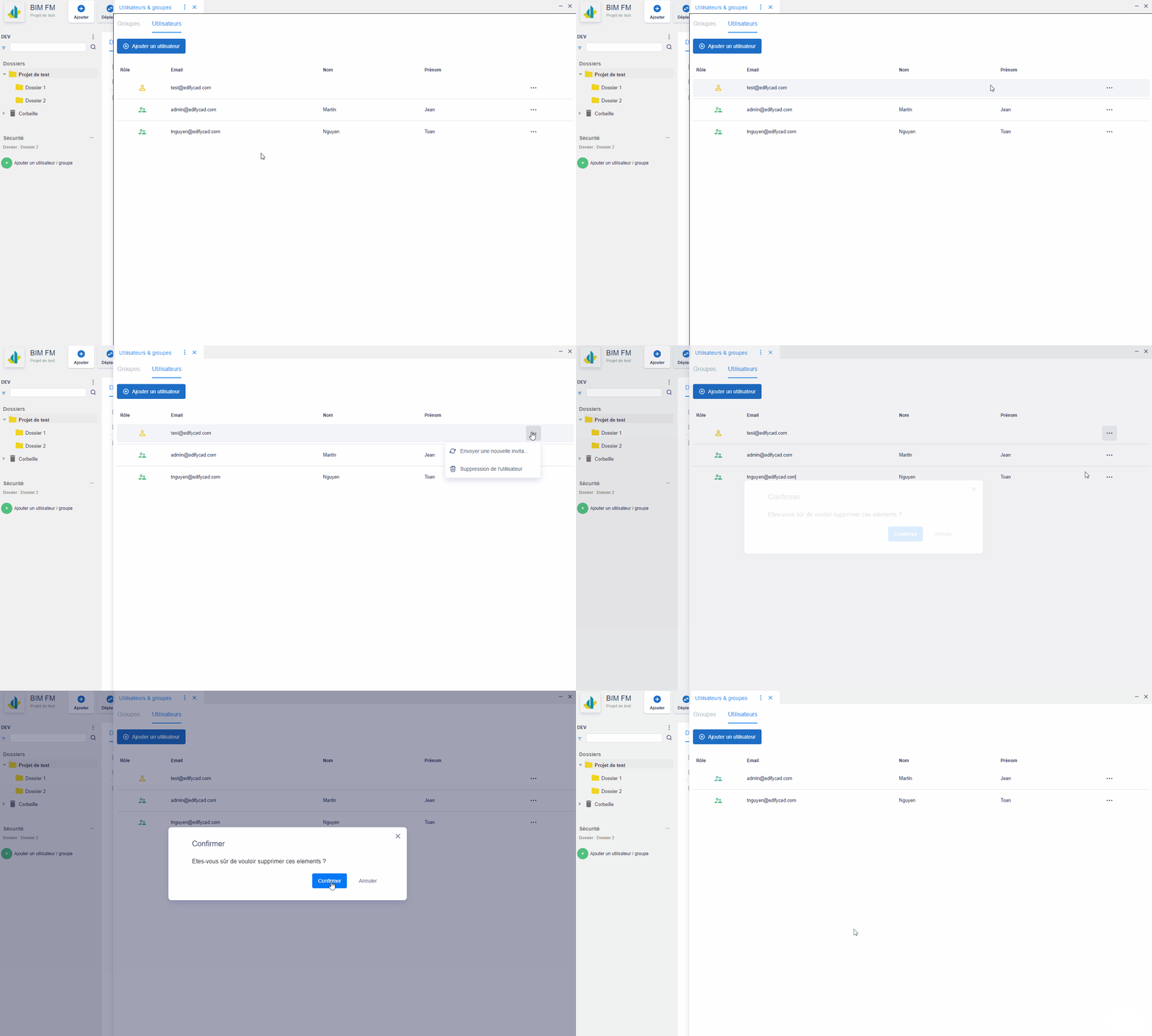
Possible actions on users (“…” button):
- Send a new invitation if the user has still not connected to the platform, the user’s role icon is then orange,
- Delete user,