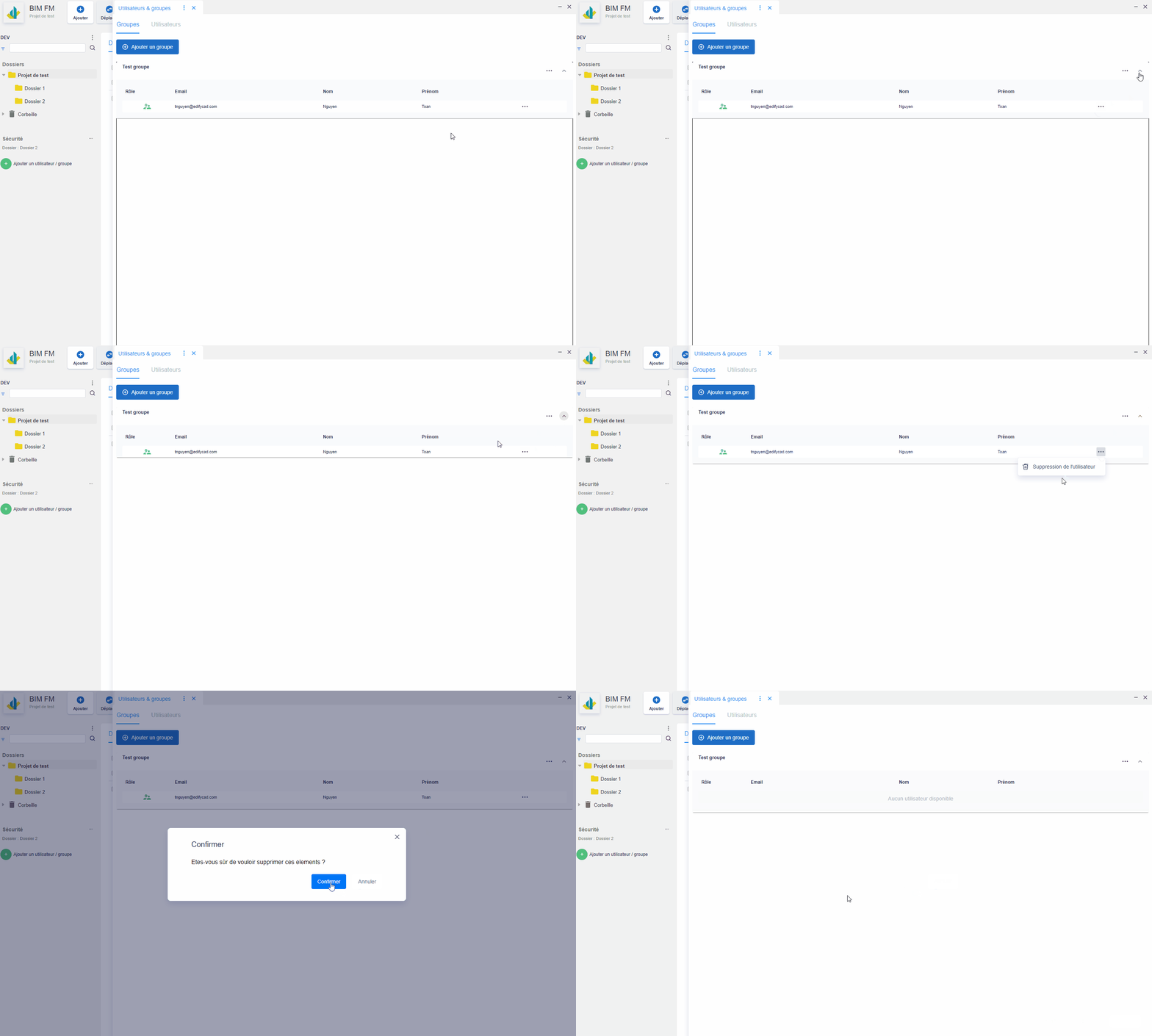
Add a group
- Click on the “Add a group” button,
- Fill in the group information: name, description
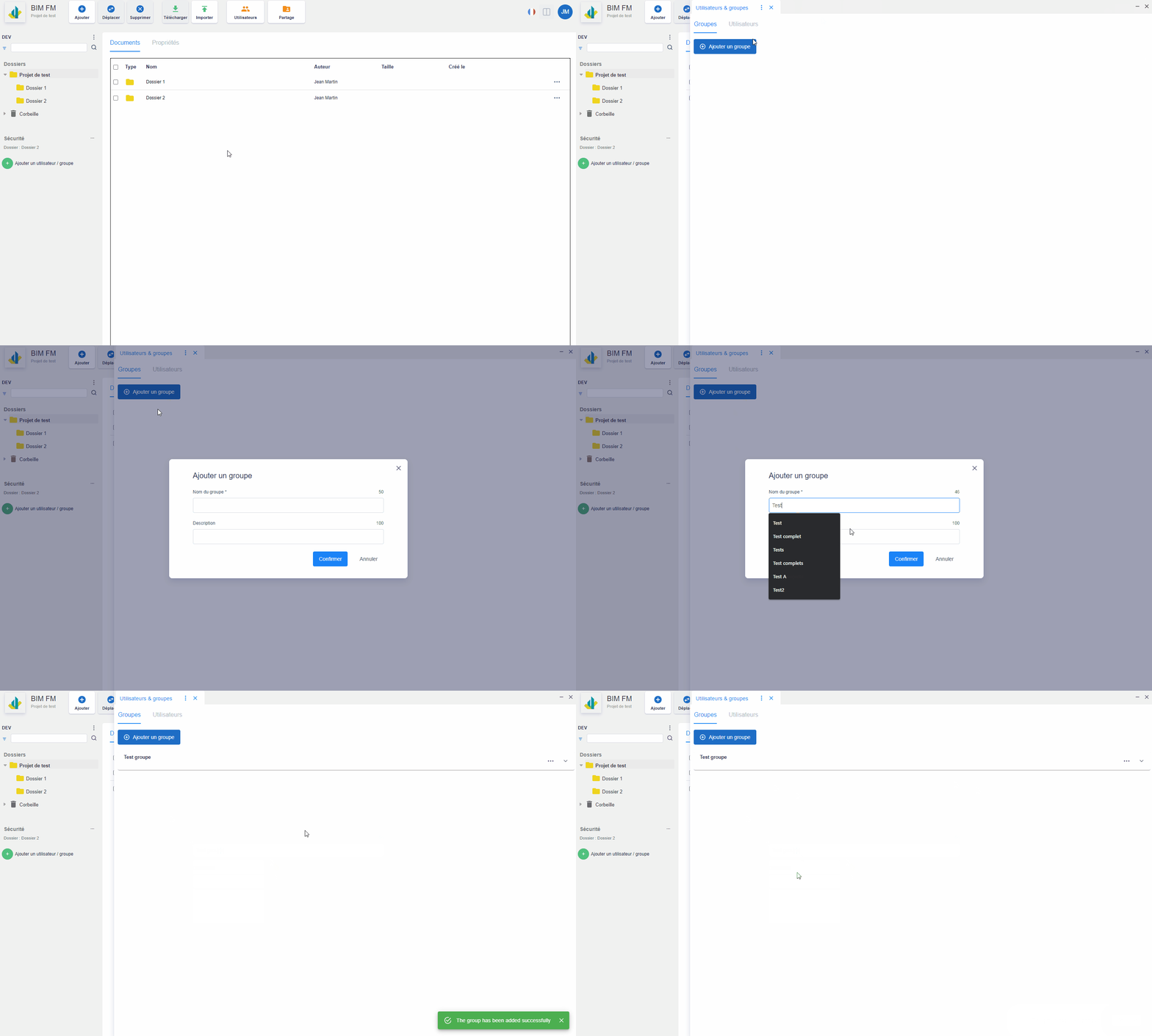
Edit a group
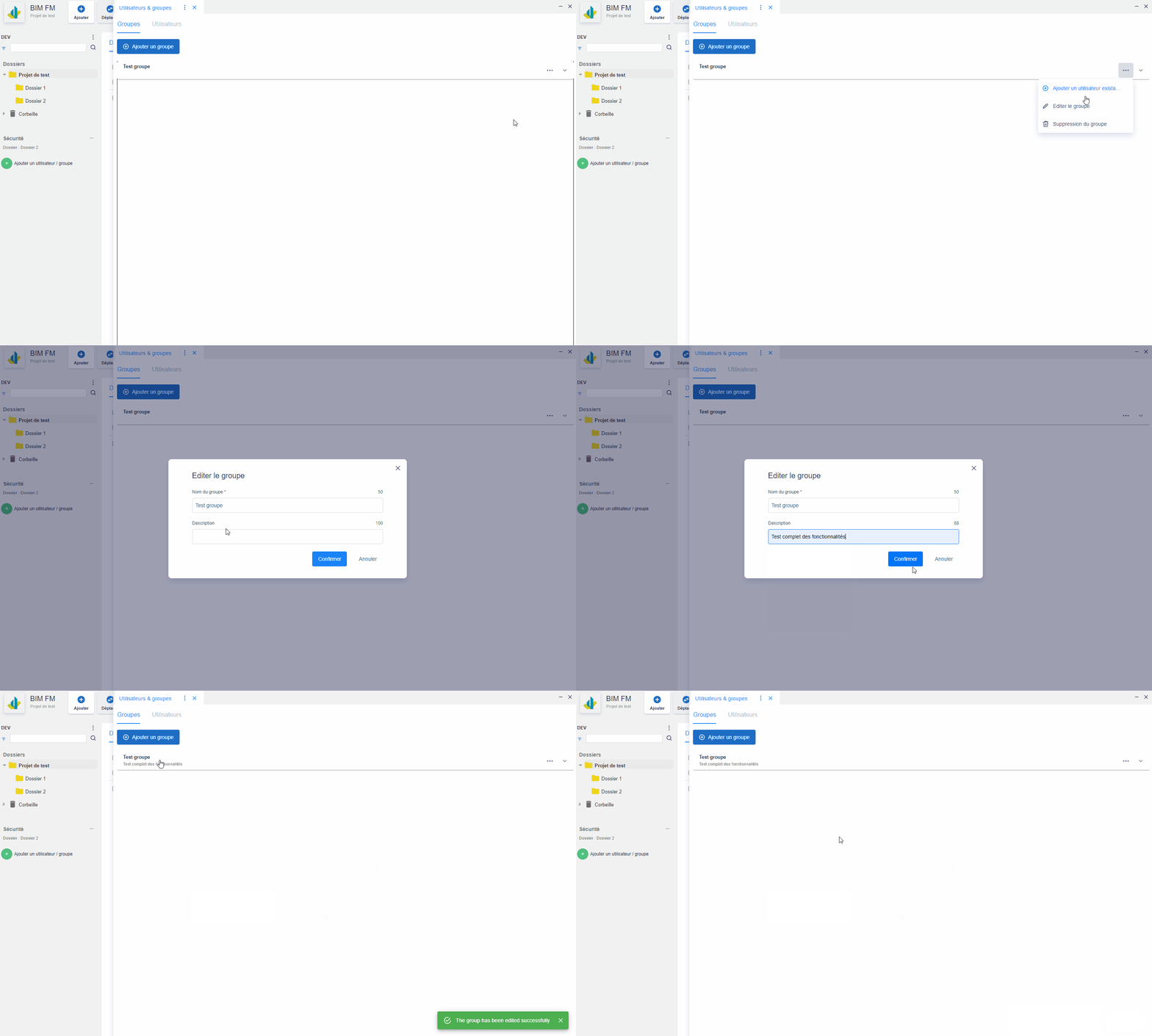
Delete a group
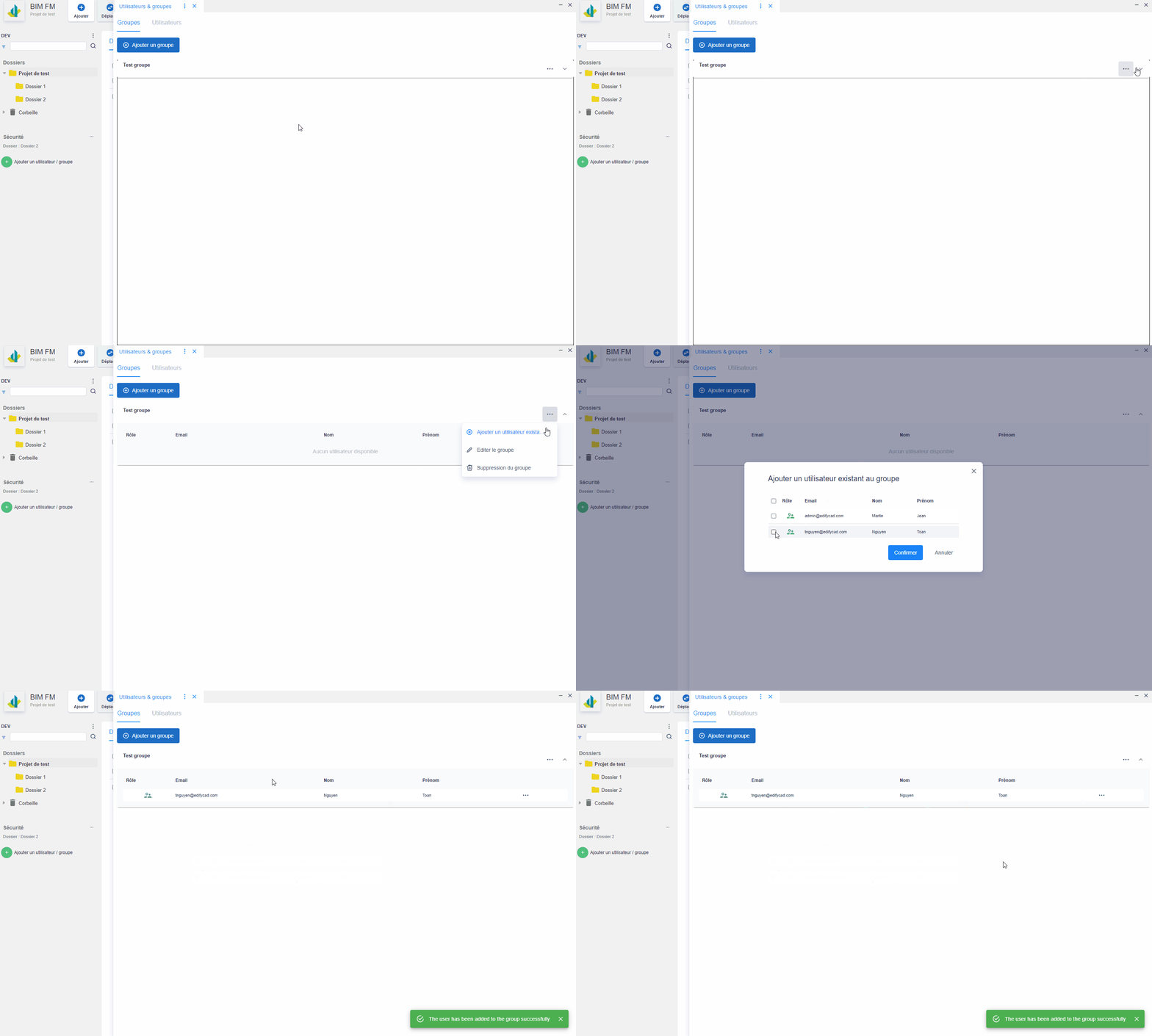
Add user to group
- Click on the action menu of a group “…”,
- Click on “add an existing user,
- Select from the list of users, the user to add,
- Click on the “Confirm” button
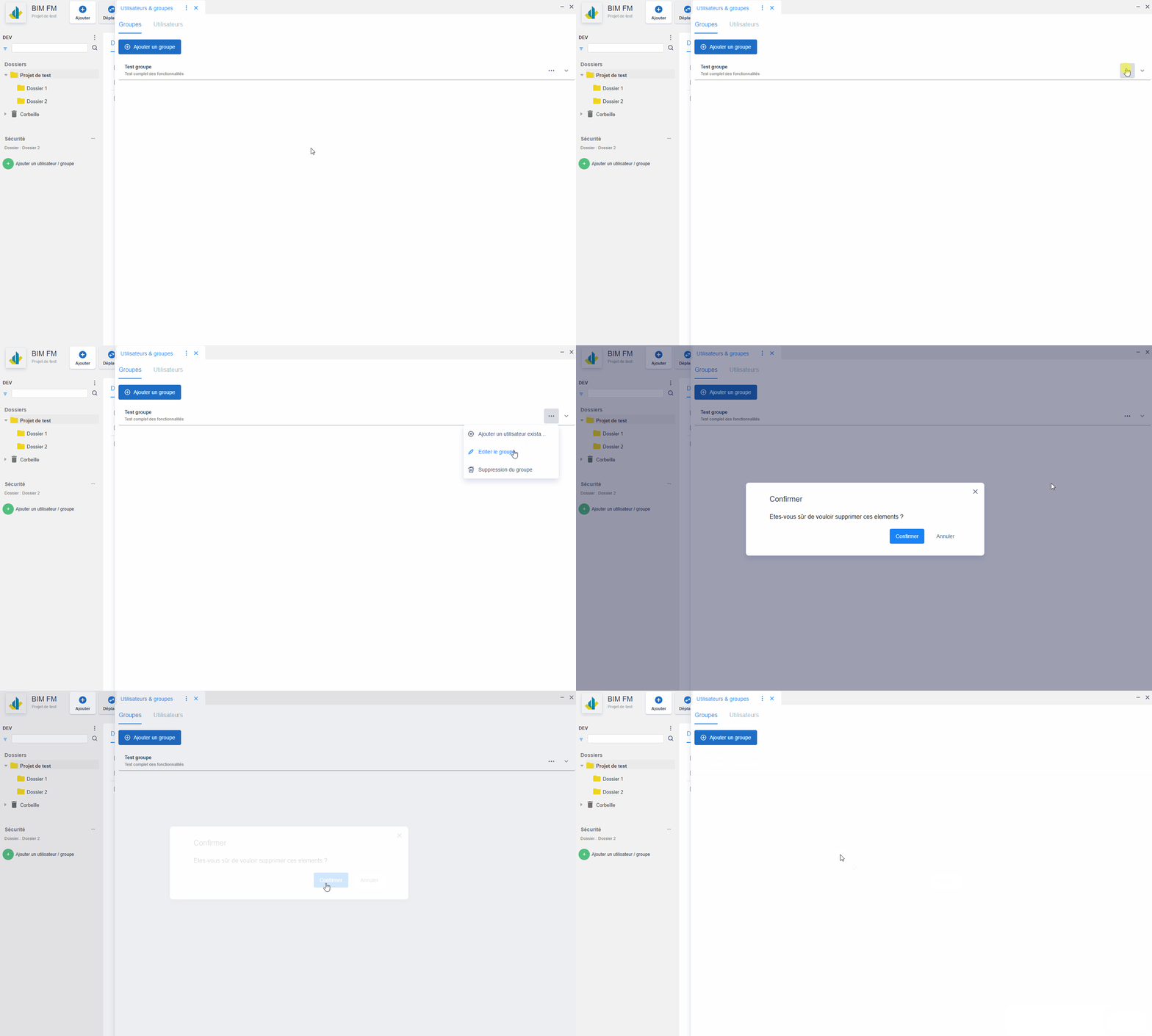
Remove a user from the group