You can view a document’s properties at any time through a document’s action menu:
- Click on the action menu of a document “…”,
- Click on the “Properties” action
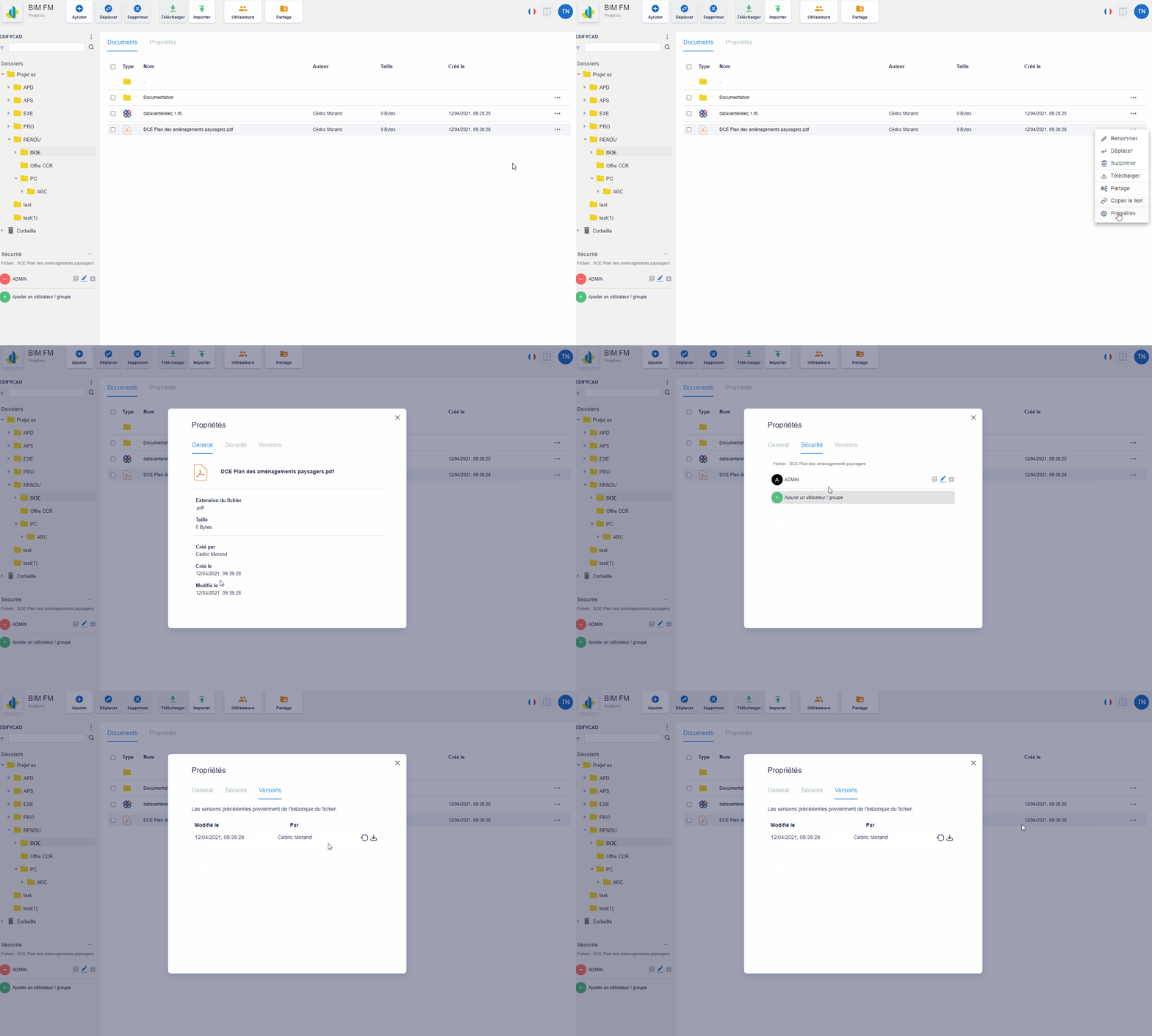
You will then have three tabs:
- General: Concerns the general information of the document (date of creation, file size, extension, etc…),
- Security: Restrict access to the document to a user or group of users,
- Versions: Manage document versions