Most web APIs should implement a token-based authentication system. Token authentication is stateless and designed to be scalable. In a token-based authentication system, the client must first authenticate with the authentication provider. If successful, the client is issued a token, which is simply a cryptographically meaningful string of characters. The most common format for tokens is JSON Web Token, or JWT. When the client then needs to issue a request to an API, it adds this token as a header on the request. The server then validates the token found in the request header before completing the request.
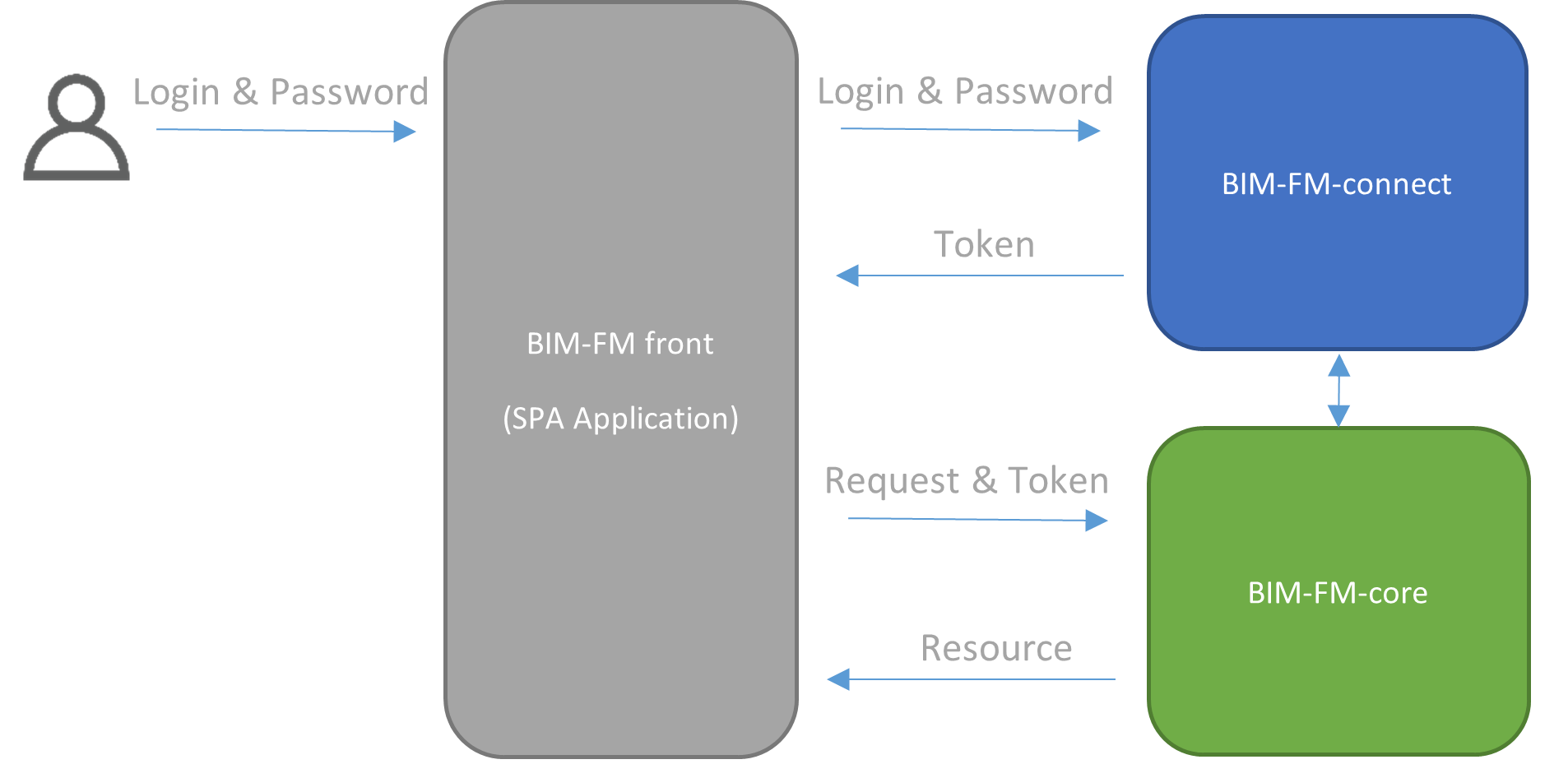
To do the majority of API calls using the nugget package, you will need to be logged in.
Here’s a quick example of how to
Explanation :
First, you need to define a BimfmApi object which is the main object of our nugget package.
BimfmApi bimfmapi = new BimfmApi();You will use it afterward for everything :
– Define the EC Project you want to target
– Log into the platform
– Use any API Calls on Project, Bcf, Quickshare and more !
So let’s move on, we can define our target EC Project server as follows :
bimfmapi.mHttpRqs.BimFmUrl = "https://dev.edifycad.com/api";And now we just have to log in :
ResponseApi<Tokens> myTokenRqs = bimfmapi.token(
    new Login() {
        username = id,
        password = password,
        grant_type = "password",
        scope = "openid offline_access"
    });
You can easily check if the request went well with a simple check on the Status of the ResponseApi class :
if(myTokenRqs.Status == 200)
{
   Tokens myToken = myTokenRqs.Result;
}
C# API Full Example
// Login to the server
BimfmApi bimfmapi = new BimfmApi();
bimfmapi.mHttpRqs.BimFmUrl = "https://dev.edifycad.com/api";
ResponseApi<Tokens> myTokenRqs = bimfmapi.token(
    new Login() {
        username = id,
        password = password,
        grant_type = "password",
        scope = "openid offline_access"
    });

if(myTokenRqs.Status == 200)
{
   Tokens myToken = myTokenRqs.Result;
}