A user can have two possible roles:
- Single user : no editing rights possible in the workspace (Editing, deleting),
- Administrator : all rights in the workspace
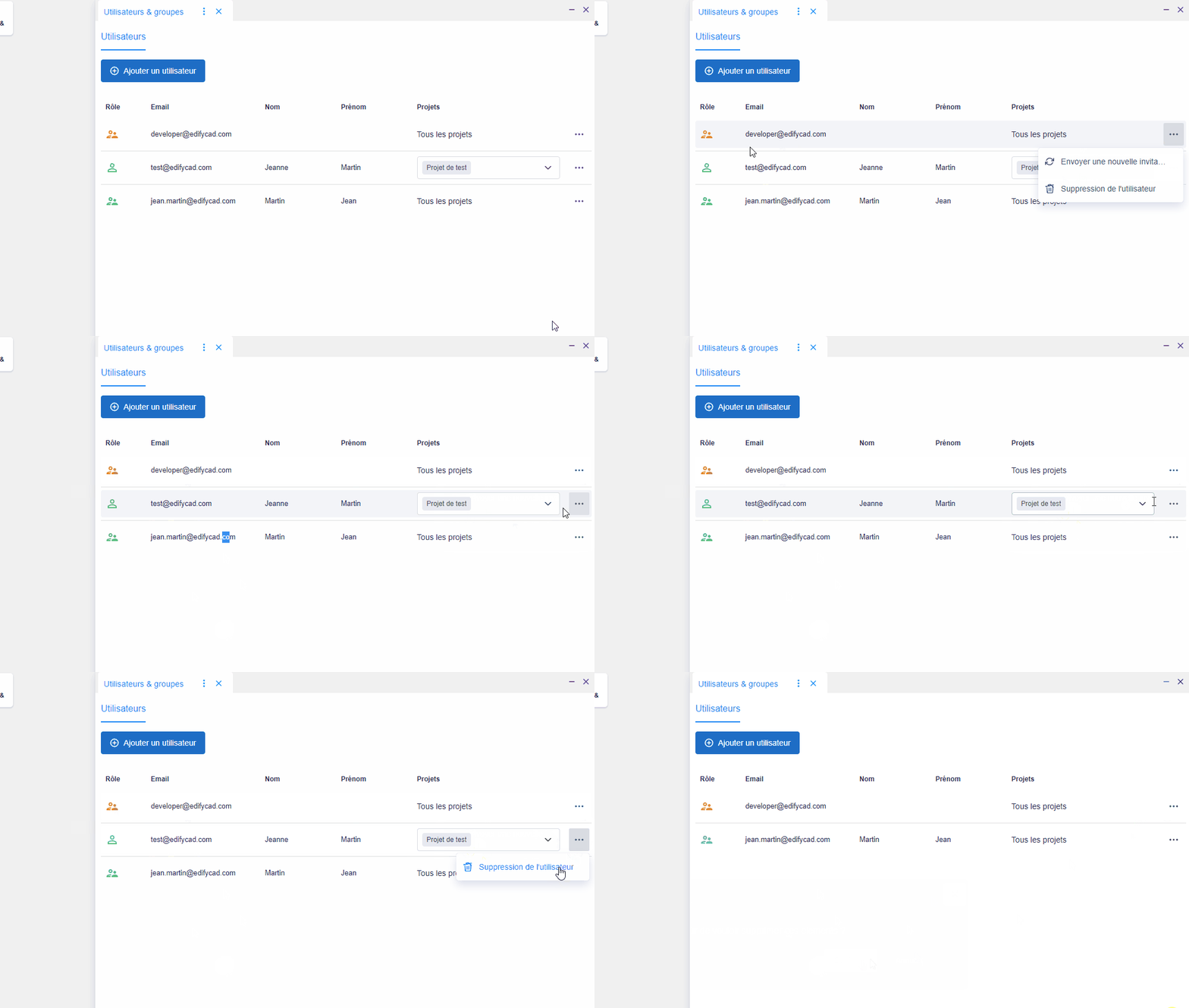
Possible actions on a user according to his role (“…” button):
- Simple user:
- Send a new invitation (email) if the user has still not connected to the platform, the user’s role icon is then orange,
- Delete user,
- Manage your list of projects via the selection component (“Projects” column)
- Administrator:
- Send a new invitation if the user has still not connected to the platform, the user’s role icon is then orange,
- Delete user,
A user with an administrator role has access to all projects in the workspace