To connect, please specify the server name in the address bar of your internet browser:
Example: https://edifycad.bim.fm
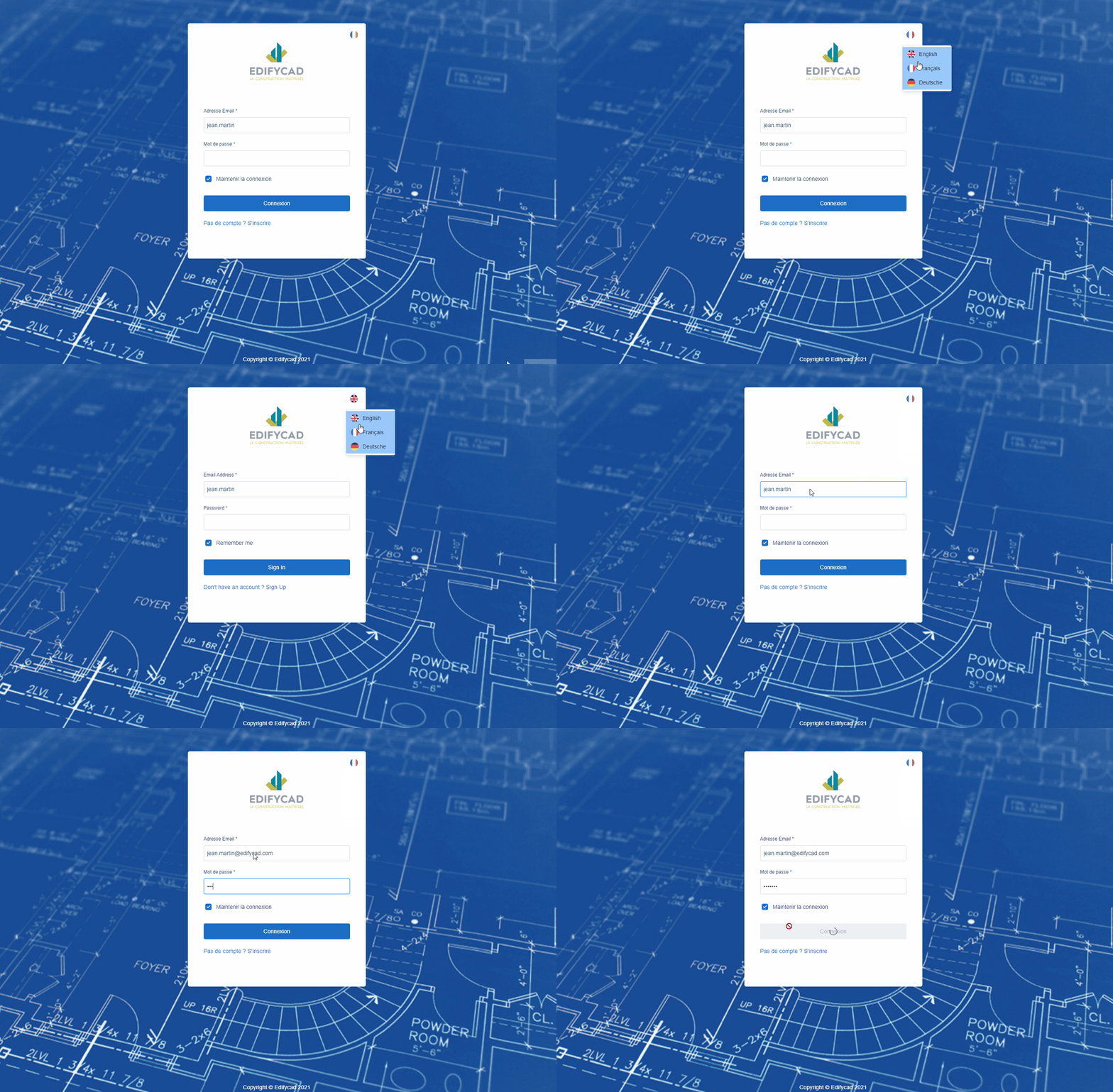
To connect to the platform, you must use your email address and the password entered previously, then click on the “Connection” button.
You can keep your session active to avoid refilling your login credentials by checking the “Keep me logged in” box.
You can also change the platform language:
- French,
- English,
- German
Compatibility
To be able to use all the services of the platform, it is important to use a compatible internet browser.
BIMFM is compatible with most internet browsers, always keep your browser up to date:
- Safari,
- Google Chrome,
- firefox,
- edge,
Your personal data is collected solely in order to constitute the address book of the project to which you have been invited.
Your personal data will not be transferred, rented or exchanged for the benefit of third parties. To do this, we are committed to
using only French servers.