Via the “Documents” tab:
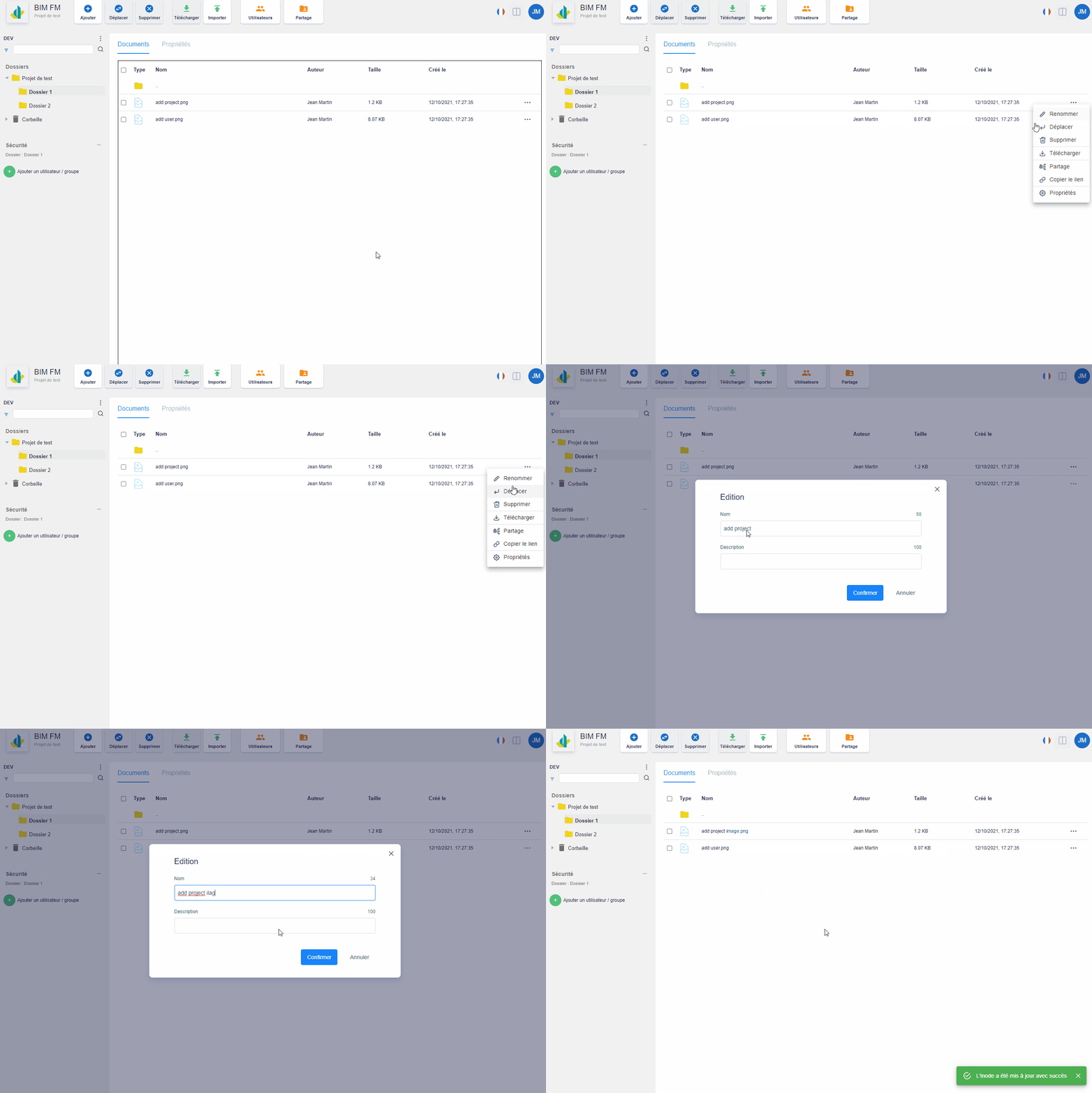
- Select the folder containing the file you want to rename,
- The documents of the selected folder are displayed in the “Documents” tab (central part),
- Click on the “…” icon at the end of the line and a menu of actions will appear,
- Click on the “Rename” action,
- A modal window opens and rename your file (name and/or description),
- Click on the “Confirm” button
Note: This action is also possible on folders