On the platform, you can share any file with anyone.
Via the “Share” button:
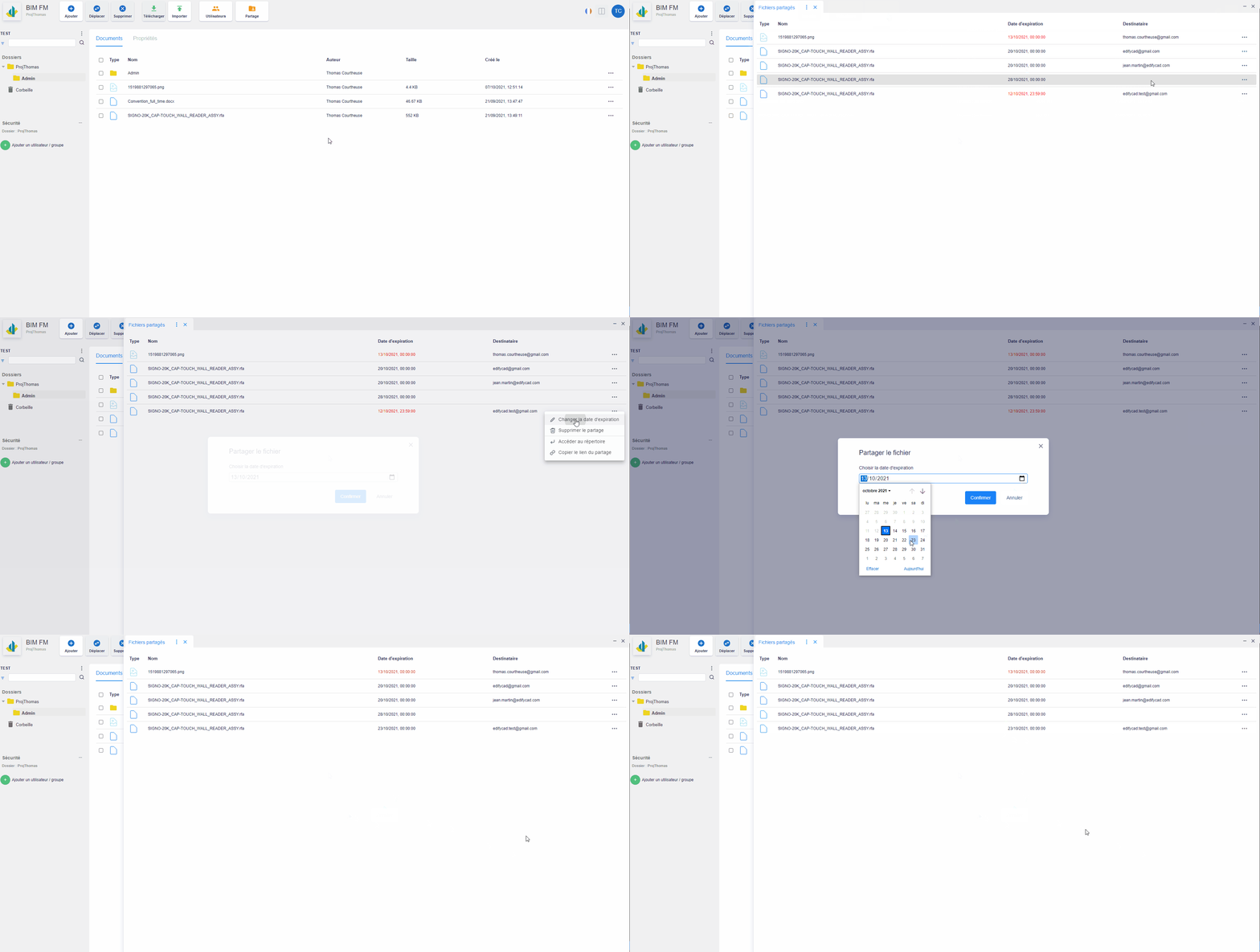
- Click on the “Share” button located in the top navigation bar,
- Click on the “…” icon at the end of a share line, an action menu will appear,
- Click on the action “Change expiration date”,
- A modal window opens,
- You can change the sharing expiration date,
- Click on the “Confirm” button