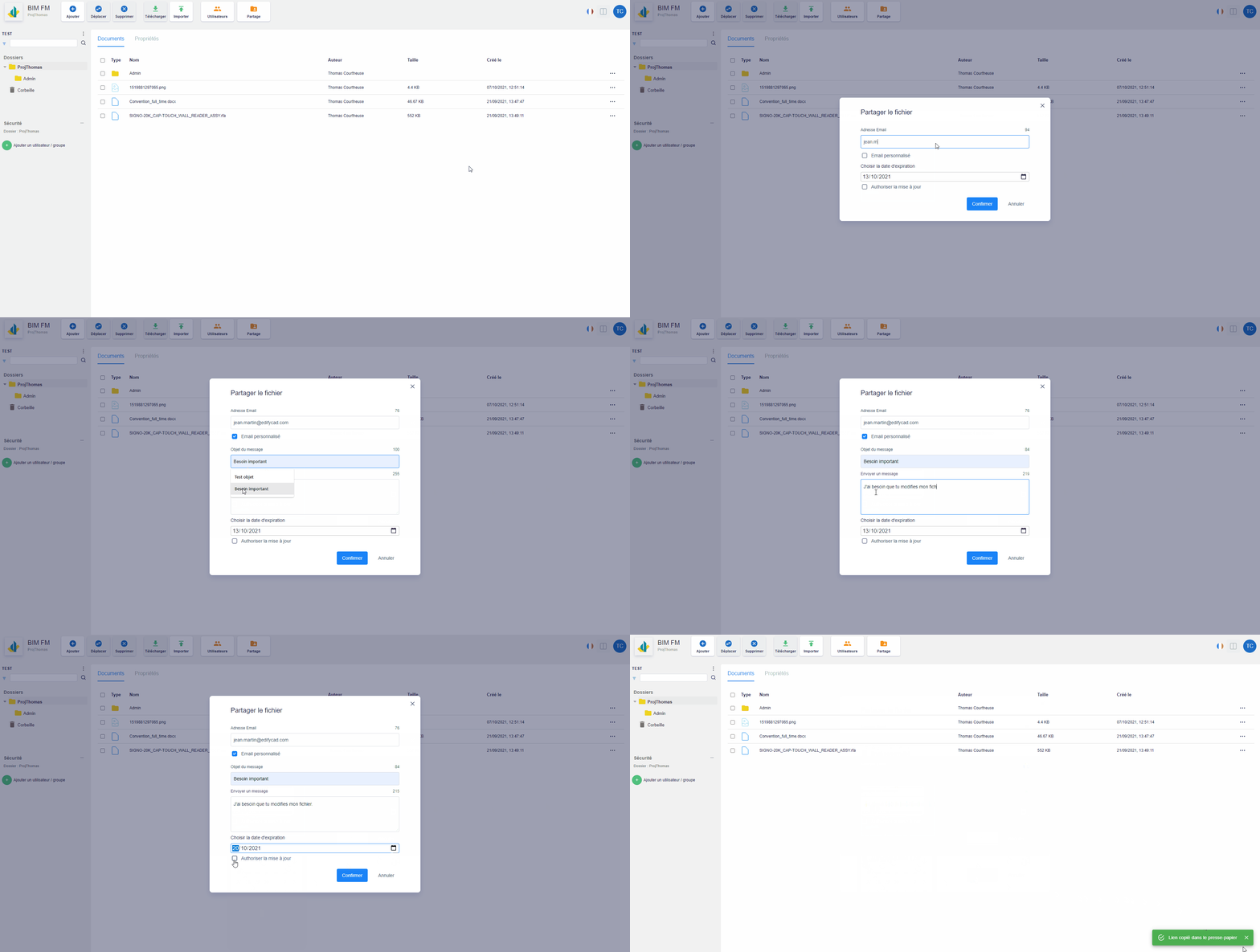
On the platform, you can share any file with anyone.
Via the “Documents” tab:
Select the parent folder of the file you want to share,
The documents of the selected folder are displayed in the “Documents” tab (central part),
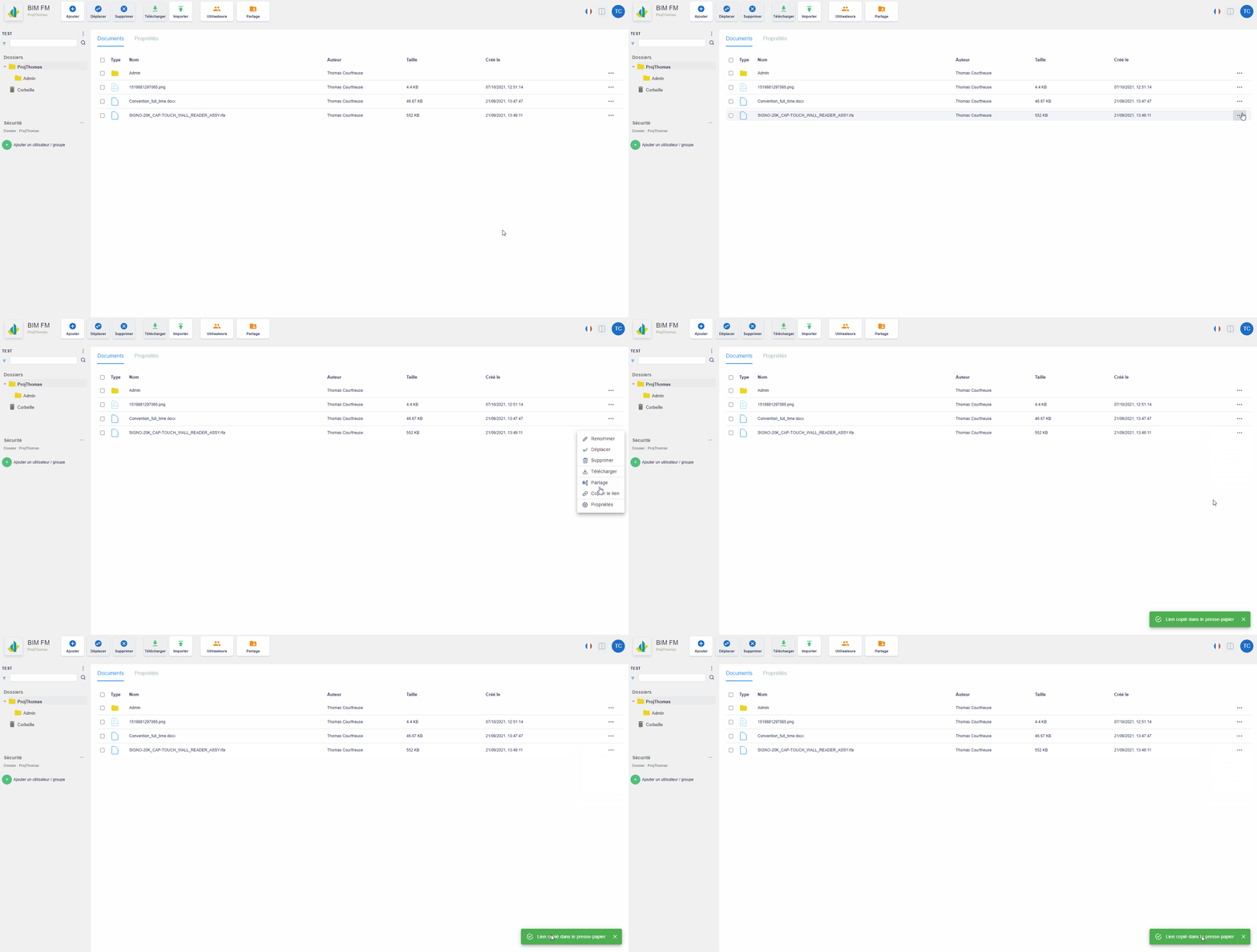
Click on the “…” icon at the end of the line and a menu of actions will appear,
Click on the “Share” action,
A modal window opens,
You can specify an email address (an email will be sent to it) and by checking “Personalized email”, you can personalize the email (Subject and body) that will be sent,
You must specify an expiration date for sharing,
You can authorize the update of the shared file by checking the box “Allow the update”
Click on the “Confirm” button
The file link is in your clipboard
Share a file via the tree structure
For even faster sharing, use “Copy link”
Select the parent folder of the file you want to share,
The documents of the selected folder are displayed in the “Documents” tab (central part),
Click on the “…” icon at the end of the line and a menu of actions will appear,