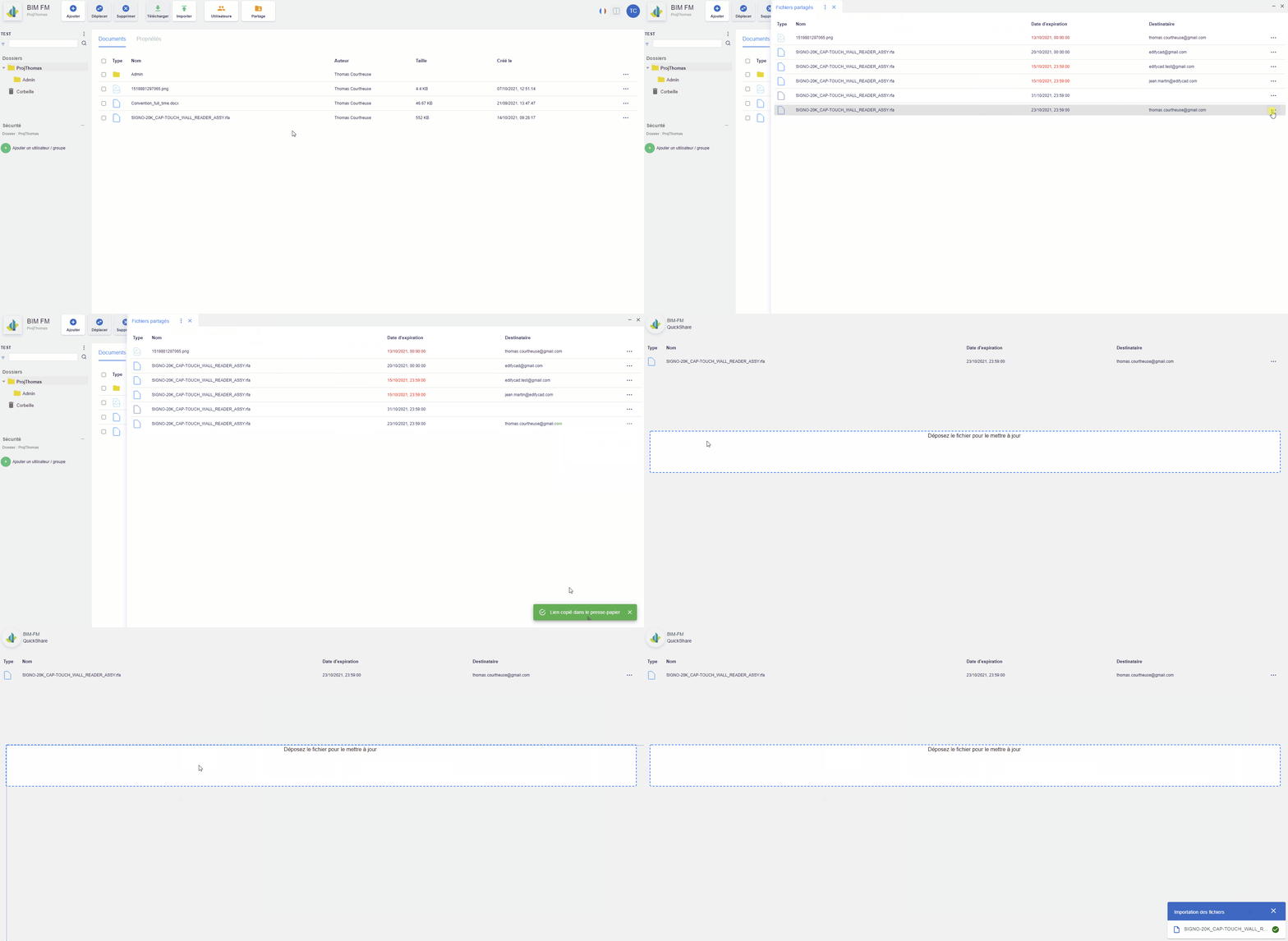
Via the “Share” button:
- Click on the “Share” button located in the top navigation bar,
- Click on the “…” icon at the end of a share line, an action menu will appear,
- Click on the action “Copy share link”,
- Open a new tab and paste the previously copied link there,
- Drag and drop your file into the area.