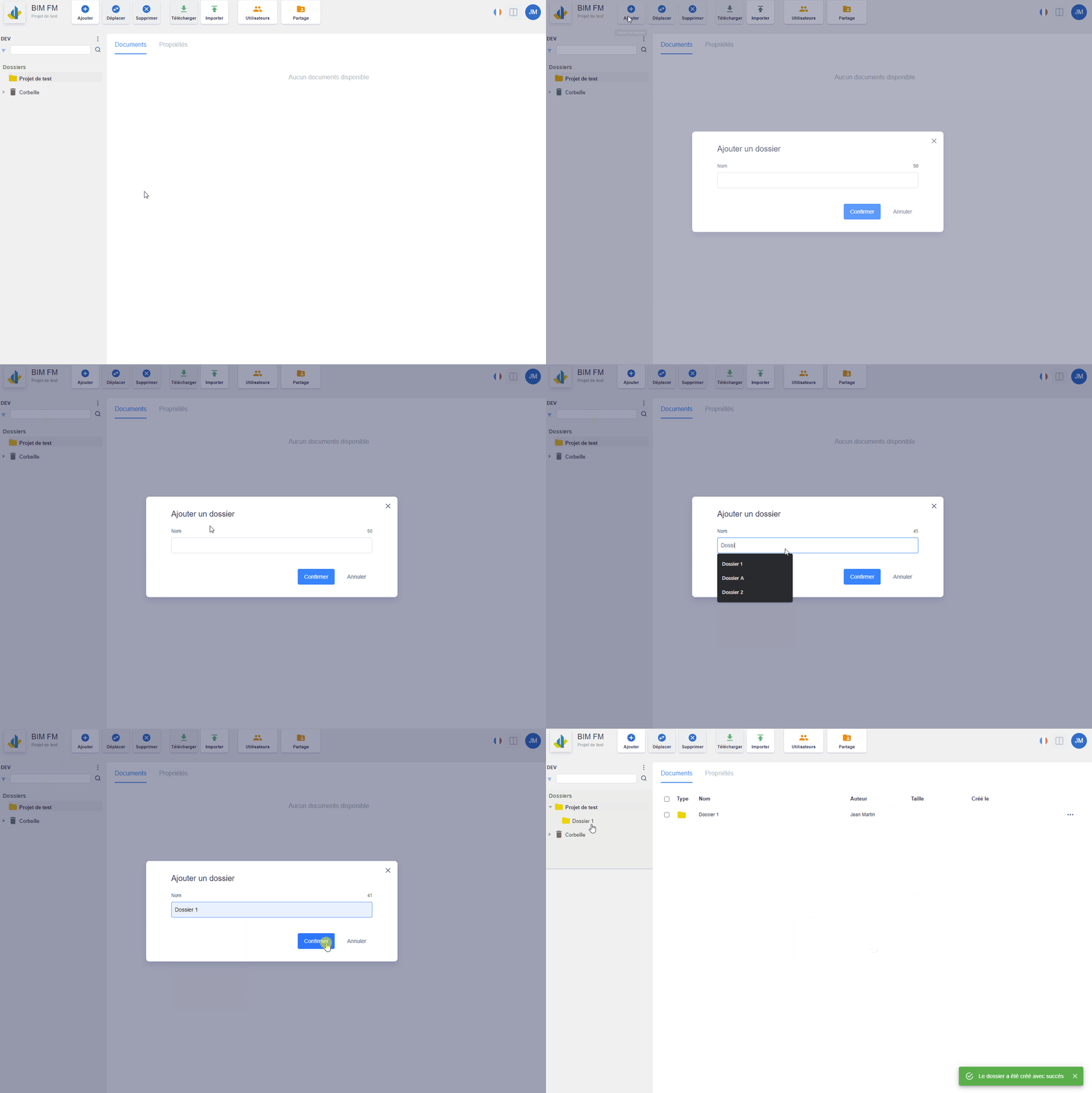
Via the “Add” button in the toolbar at the top of the page
- Select the folder in the folder tree where you want to create the new folder,
- Then click on the “Add” button in the toolbar,
- A modal window opens and provide the name of the new folder,
- Click on the “Confirm” button
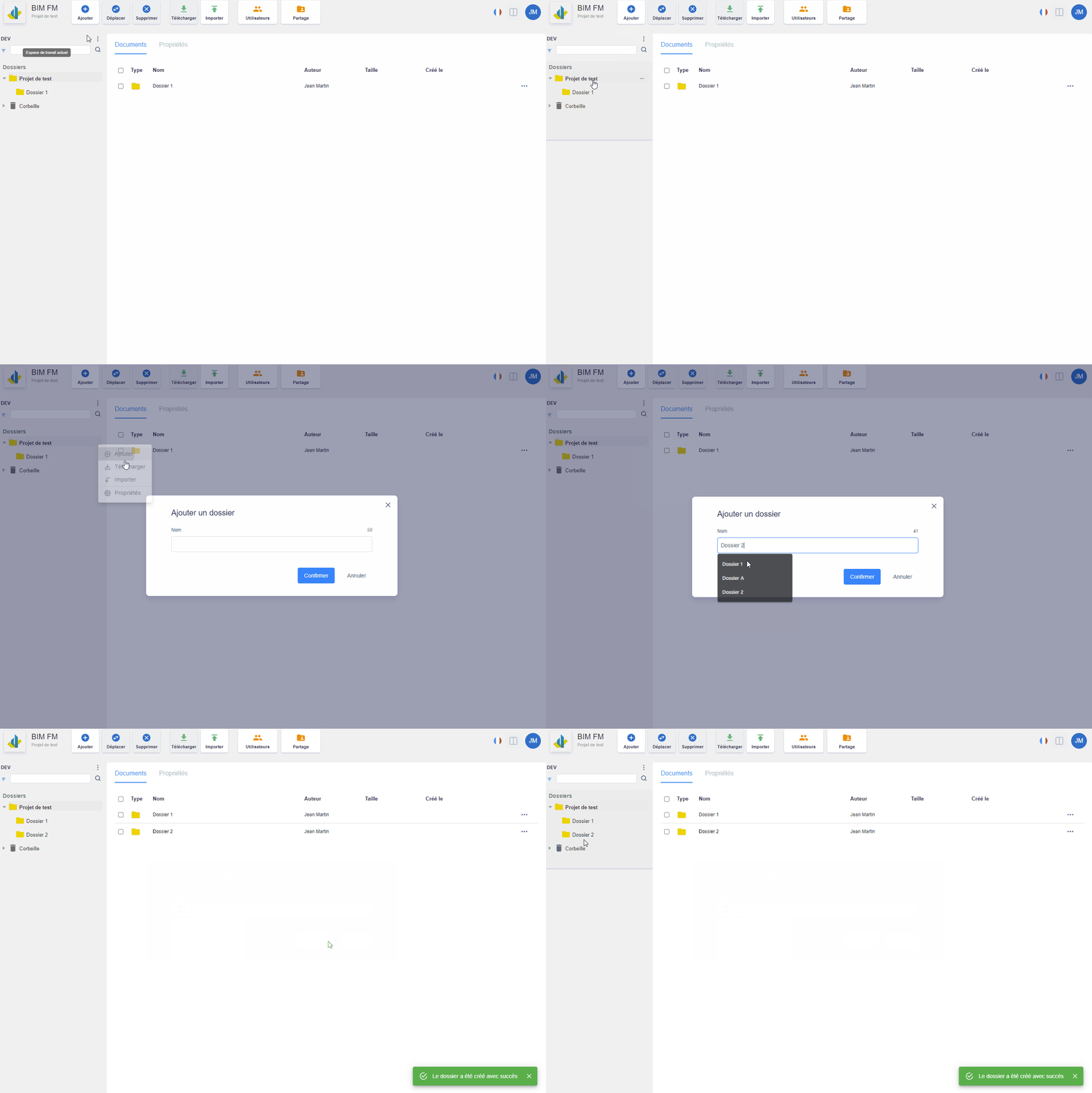
Via the action menu of a folder in the folder tree
- Hover your mouse over the folder where you want to create the new folder, a “…” icon will appear at the end of the line,
- Click on the “…” icon and a menu of actions will appear,
- Click on the “Add” action,
- A modal window opens and provide the name of the new folder,
- Click on the “Confirm” button