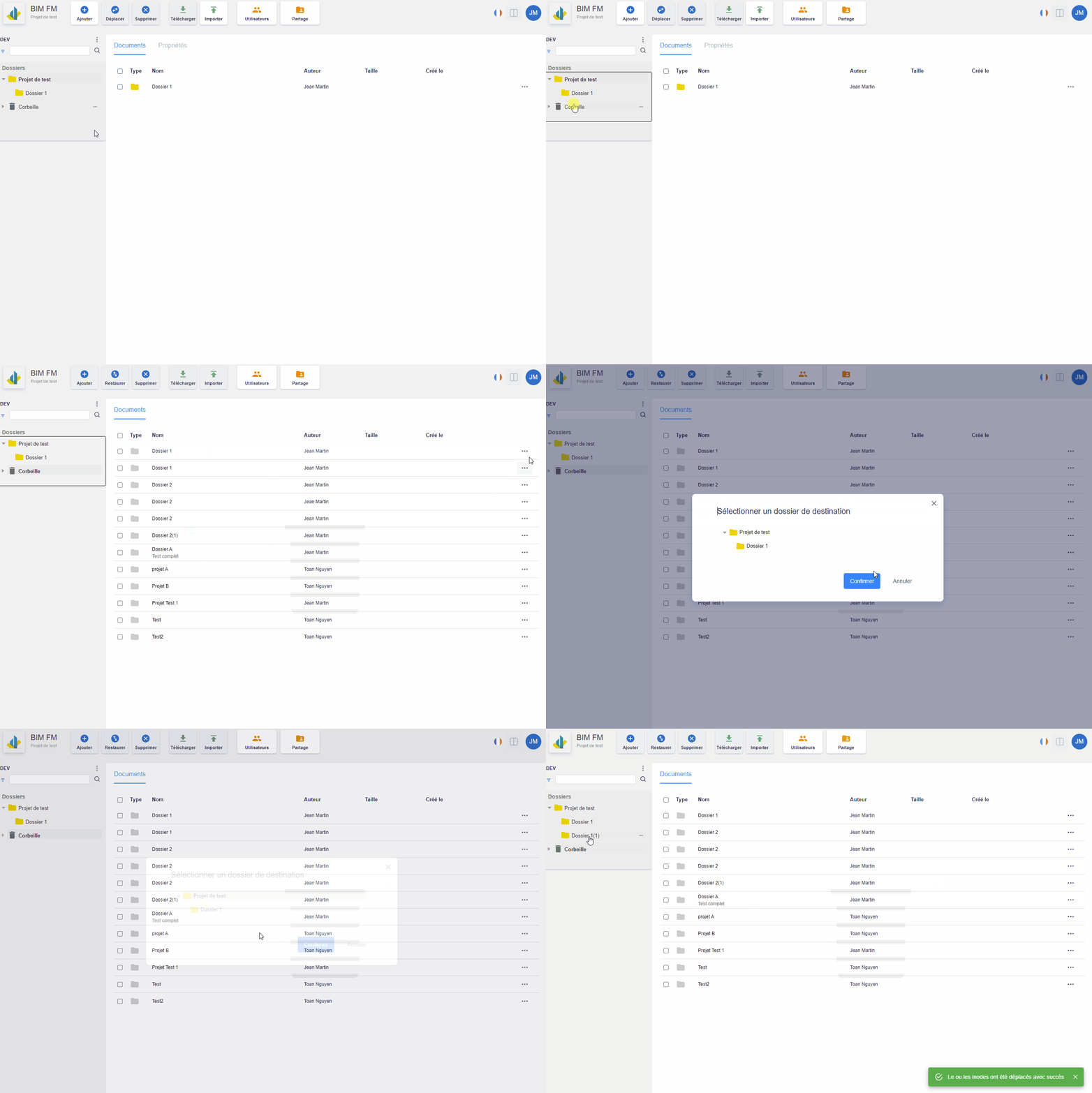
- Cliquez dans l’arborescence des dossiers sur la “Corbeille”,
- Cliquez sur l’icône “…” du dossier/fichier que vous voulez restaurer,
- Click in the folder tree on the “Trash”,
- Click on the “…” icon of the folder/file you want to restore,
- A modal window opens and select the destination folder for the folder/file to restore,
- Click “Confirm” to restore the folder/file